
This pipeline will allow you to push event attendance from Veracross to a user's calendar. Of consideration - this event attendance available through the API is based upon the "Invited to event" individual event that is created when you either add a person manually to an event OR if you have groups attached to the event if you toggle the Attendance Taken switch at the top of the Attendance tab. This gives you more granular control over what events are added to a user's calendar, for example, faculty meetings you would want added to a person's calendar as they are required to attend but an optional event, like a book fair you would not want them blocked out for that time period.
Flow Setup
Open Flows in SchoolCal and select Add a Flow. Choose the Veracross Group Event Attendance to User Calendars pipeline for your Google or Outlook connection. Open the flow's Configuration tab and select Filters, then Edit.
Filters
Screenshots show a Staffulty flow in a Google-connected demonstration school. Values and selected options are examples.
There are a series of filters that you may use to sift your calendar down to the desired events:
Date Range
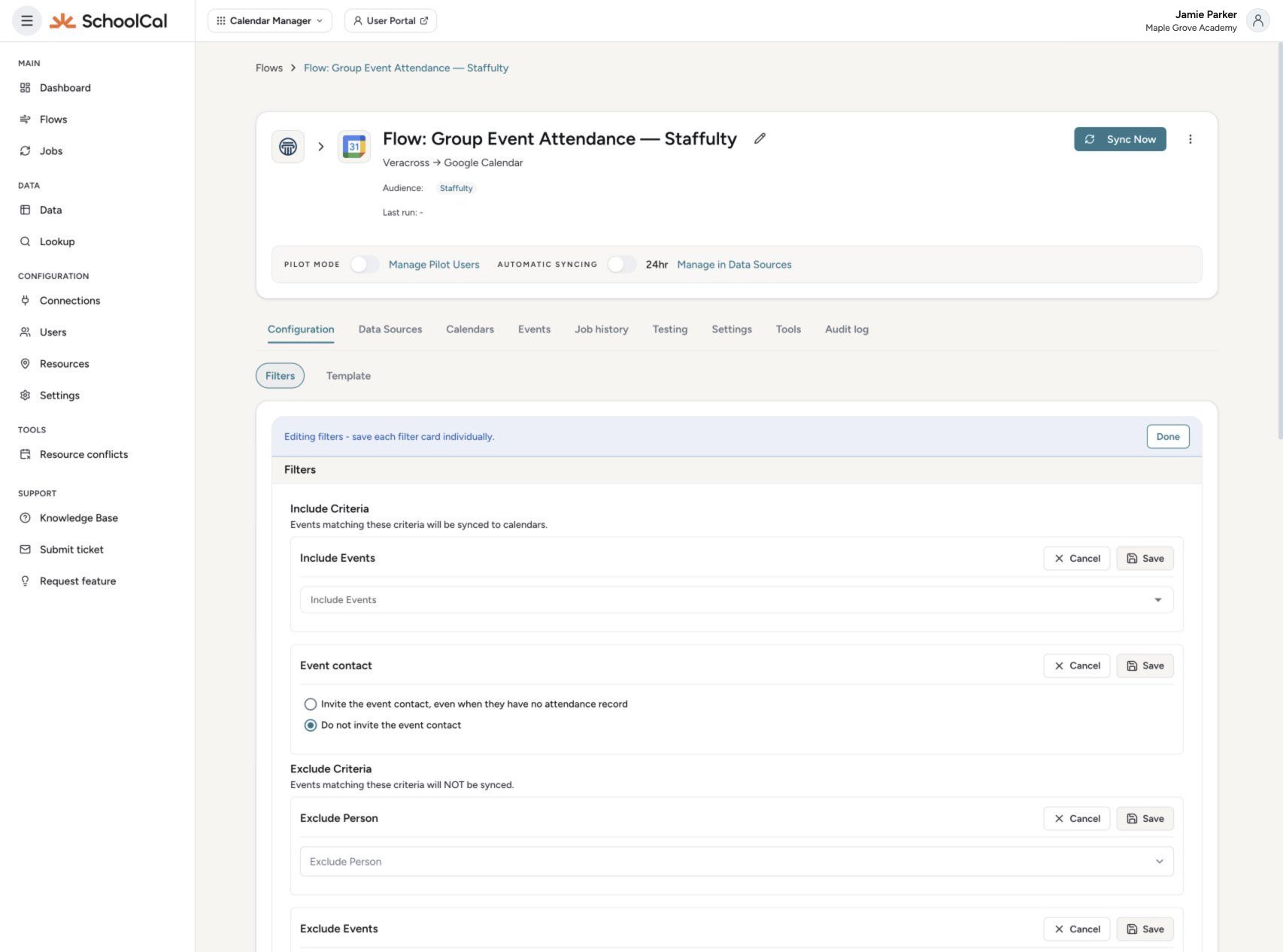 Attendance flow include and exclude controls. Set the date range according to the instructions below; the demo values are illustrative.
"Only future dates" will only look at dates that occur in the future - past dates will not be considered
"Start and end (inclusive)" will look between and including two dates for events
"All dates (not recommended)" might only be used when deleting a flow so that you include all events
"From today to cutoff date" will look from today until the date specified
Be sure to save your settings for each section if you make changes.
Group Event Types
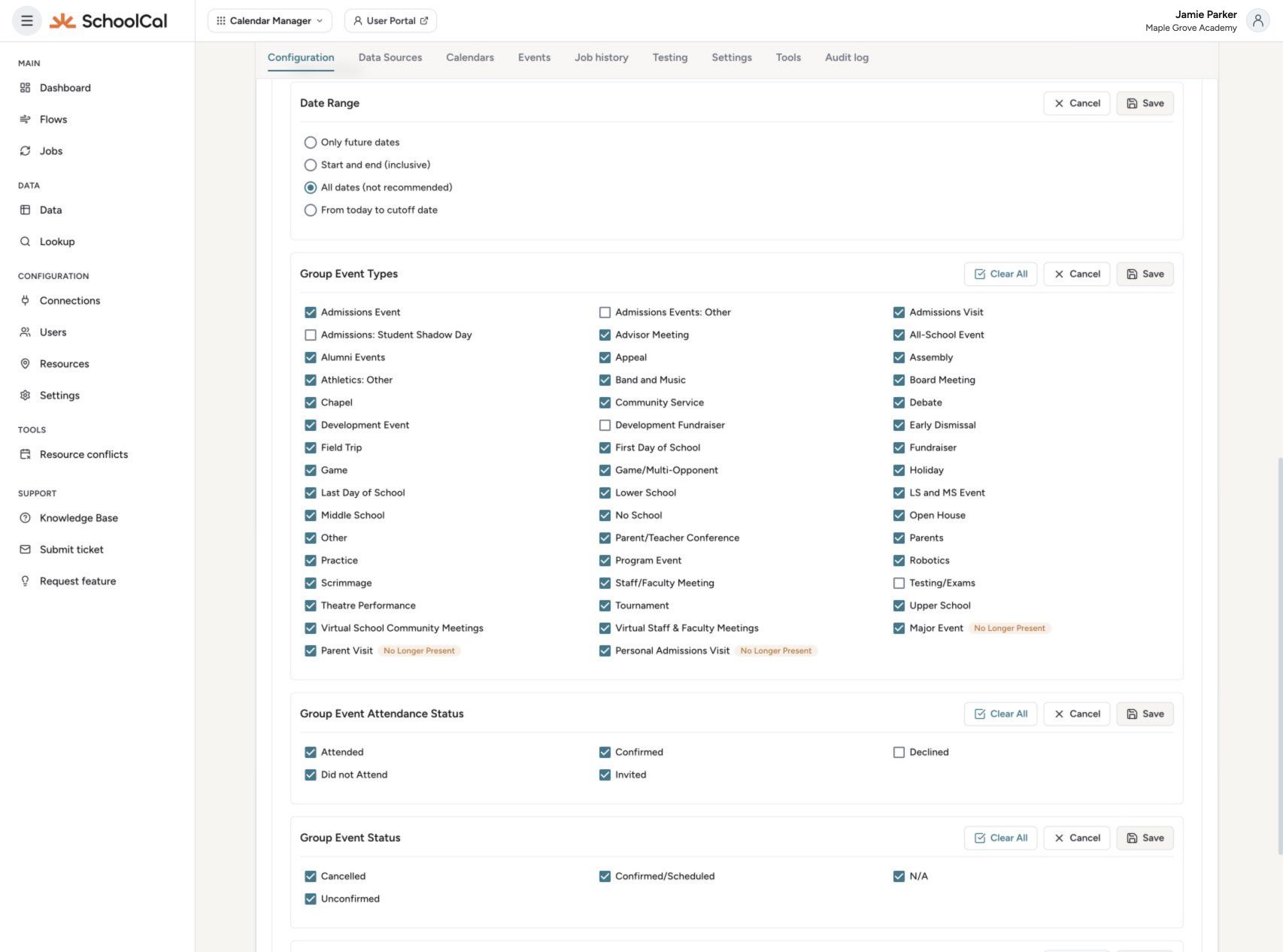 Date range, group-event types, attendance status, and event status in the current attendance flow.
SchoolCal will pull your event types or categories from your SIS. You may choose as few or as many as you wish, again, clicking save after making your selections.
Group Event Attendance Status
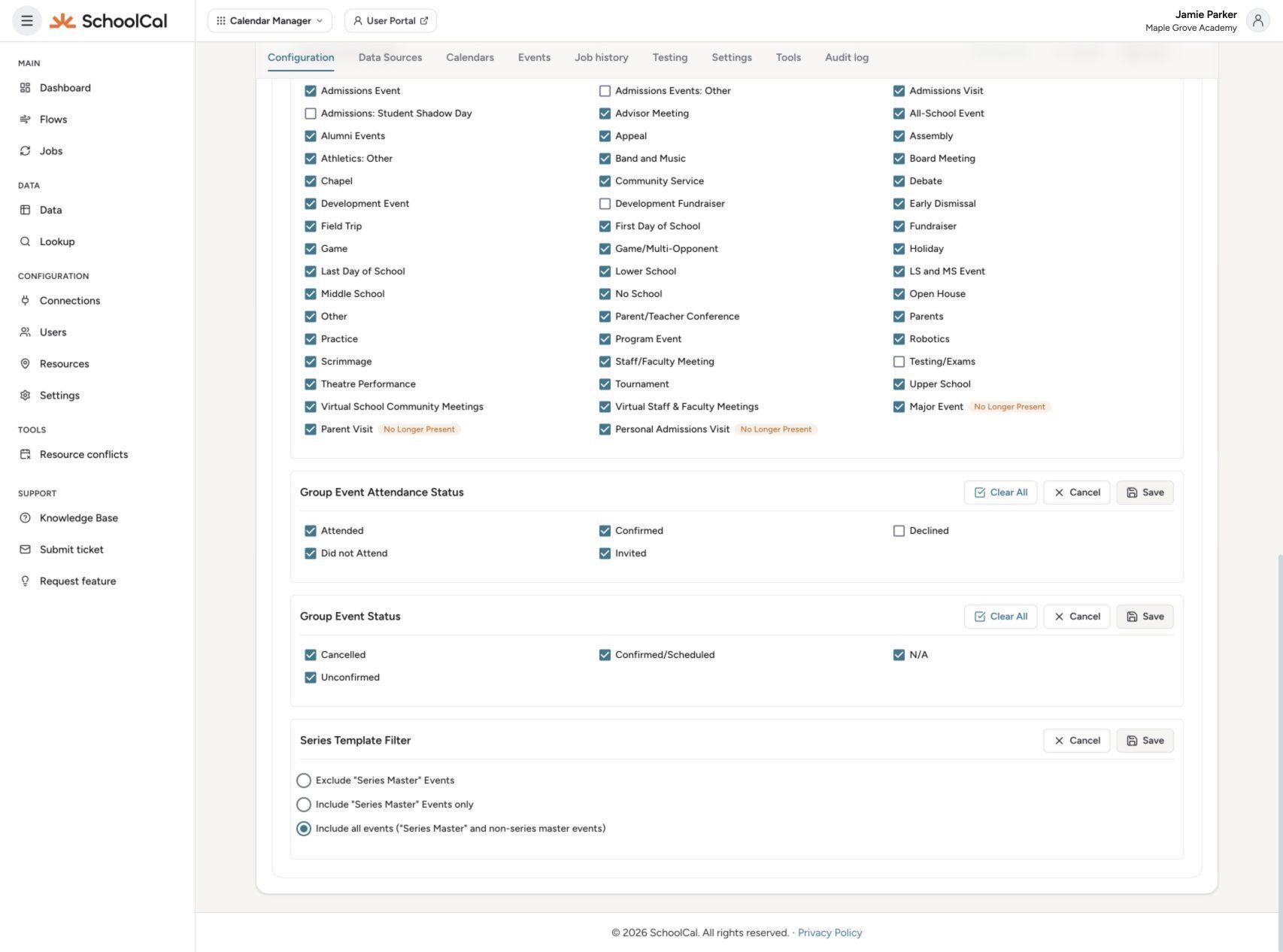 Attendance-status choices and group-event status choices in the current filter editor.
As described in the introduction if you set the "take attendance" you can default to 'Invited'. Also keep in mind that typically SchoolCal will not update past events so you would use "Invited" and "Confirmed" to capture all of your attendees.
Group Event Status
Here you may opt to include or not include events based upon their status in your SIS. Note options here may vary based upon your SIS.
Filter by Group Event
If one or multiple groupEvents are entered in this filter, this flow will only sync attendance for the selected group events
Students and staffulty
The current app lists Students and Staffulty as separate flow audiences. Check the audience shown below the flow name and configure the appropriate flow for each audience. The screenshots above show the Staffulty flow.
Exclude Persons or Events
Click inside the box and type the name or email address of the person you wish to exclude from event attendance.
You may also exclude specific events for more granular control, if needed. Be sure to save any changes.
Template Settings
The template settings controls how the event looks on the calendar. You will see a list of your events on the right any fields on the right may be included in your template. Please refer to this article for detailed event template setup.